Introduction
Comparing WordPress to Drupal is well-covered ground. The battles have been fought and the borders decided. Everyone settled into their territory, with WordPress taking the far greater share. Ever since the dust settled after the Drupal 8 release, the two platforms have been governed by a gentleman's agreement: WordPress is good for many situations, Drupal is good for some.
In reality, WordPress was treated as good for every situation, and the usage numbers bear that out.
But that was Drupal vs. WordPress. Drupal CMS changes the calculus. Drupal Canvas, the visual page builder that shipped with Drupal CMS 2.0, flips the script on the part of the comparison WordPress always won. But Canvas is only one piece. What about the rest of what Drupal CMS offers, and how does it fare when the question is Drupal CMS vs. WordPress?
The evolution of Drupal
Drupal has a reputation for being difficult to learn and use. Poorly implemented user interfaces, a lack of good themes, its unique hook system, and the difficulty of updates all contributed to that perception. Anyone being fair will admit Drupal is powerful and flexible, but the power came at a cost, especially for smaller websites. After Drupal 8, only larger organizations could afford to build and maintain Drupal platforms.
Drupal CMS is a deliberate break with that history. Version 1.0 arrived in January 2025 as a ready-to-use product built on Drupal core: sensible defaults, Recipes that install whole features at once, and a Project Browser that adds modules from the admin screen. Version 2.0, released at the end of 2025, added Drupal Canvas and a set of AI agents for site building and content. Together they are an attempt to address Drupal's historical user-experience problems and to compete directly with WordPress at the lower end of the market.
It is an attempt made while keeping Drupal's core intact: flexible, structured, and ready to build ambitious experiences.
Drupal Canvas
Drupal Canvas is the piece that changes the conversation. It gives Drupal what WordPress has had since Gutenberg and what WordPress page builders have sold for years:
- An intuitive drag-and-drop interface for building pages.
- Real-time previews for content creators.
- Component-based design that keeps flexibility for developers while simplifying the experience for editors.
- Visual editing that removes most of the technical knowledge barrier.
This is a direct response to one of WordPress's greatest strengths: its accessibility for non-technical users. The difference is what sits underneath. A Canvas page is still built from structured components with defined props, so the content behind it stays structured and reusable rather than becoming a blob of markup.
Security
Drupal is recognized for its rigorous security processes and is often preferred by organizations with stringent requirements. Government agencies and enterprises particularly value that reputation.
Drupal operates a dedicated Security Team of experienced volunteers and paid professionals who follow structured processes for reviewing security issues in core and contributed projects, coordinating responsible disclosure, and maintaining a comprehensive security advisory system. When vulnerabilities are discovered, the team works directly with module maintainers to develop fixes before public disclosure, minimizing the window of exposure. Drupal CMS inherits all of it, because Drupal CMS is Drupal core plus vetted contributed modules.
WordPress takes a more distributed approach. A core security team handles WordPress itself, but the security of plugins and themes falls largely to their individual developers, and practices vary widely across the ecosystem. Some plugins adhere to strict standards; others get minimal review. That puts more responsibility on each site owner to implement proper governance, and for smaller organizations that governance usually does not exist.
Automatic updates
Updating Drupal has meant Composer, a PHP dependency manager that is not exactly friendly to non-technical users. WordPress has had the advantage here for years: updates happen automatically or with a click, and a site owner does not need to keep a developer on retainer to stay patched.
That gap is closing. Drupal core's Package Manager, the same machinery that lets Project Browser install a module from the admin screen, is the foundation for Automatic Updates, and Drupal CMS ships with it. Security releases for core can now be applied from the browser, and the road map extends the same treatment to contributed modules. For the first time, keeping a Drupal site current is a button, not a ticket.
Flexibility and customization
Both platforms offer extensive customization, but they approach it differently.
Drupal has always excelled at complex content structures and relationships. Its entity-based architecture and field system allow sophisticated content modeling that can accommodate nearly any structure an organization needs. Its module ecosystem is large and varied, and unlike WordPress, modules are encouraged to work together; duplicating functionality is discouraged.
Installing those modules, however, used to require the command line and Composer, a sharp contrast with WordPress, where any plugin is a few clicks away. Drupal CMS closes that gap with two things. Recipes package modules, configuration, and defaults into features you can apply in one step: a blog, an events calendar, SEO tooling, privacy consent. Project Browser installs individual modules from the admin screen, no terminal required. Together they put extending Drupal back in the hands of non-technical users and bring the experience on par with WordPress.
WordPress's strength here is also its weakness. The plugin ecosystem offers tremendous options, but it leads to compatibility problems, and many plugins inject advertising into the admin, upsell paid tiers, or simply are not very secure.
Headless capabilities
Modern digital experiences often need content delivered across multiple channels, with the CMS acting as a content repository that serves front ends over APIs. Both platforms support this.
Drupal is positioned strongly here. It ships with JSON:API and offers GraphQL and REST, and anything built on Drupal CMS has the same capabilities available to power other applications. WordPress offers a REST API, but headless has never been its central focus, and content APIs only pay off with structured content. You can approximate structured content in WordPress with plugins; in Drupal it is the native model, and Drupal CMS inherits it. Our own site is built this way, with headless Drupal behind an Astro front end.
Performance
Performance claims are easy to make, so I ran a small, honest test rather than repeating anyone else's. Tag1 published a thorough Drupal CMS vs. WordPress performance comparison in 2025 that is worth reading in full; what follows is simpler.
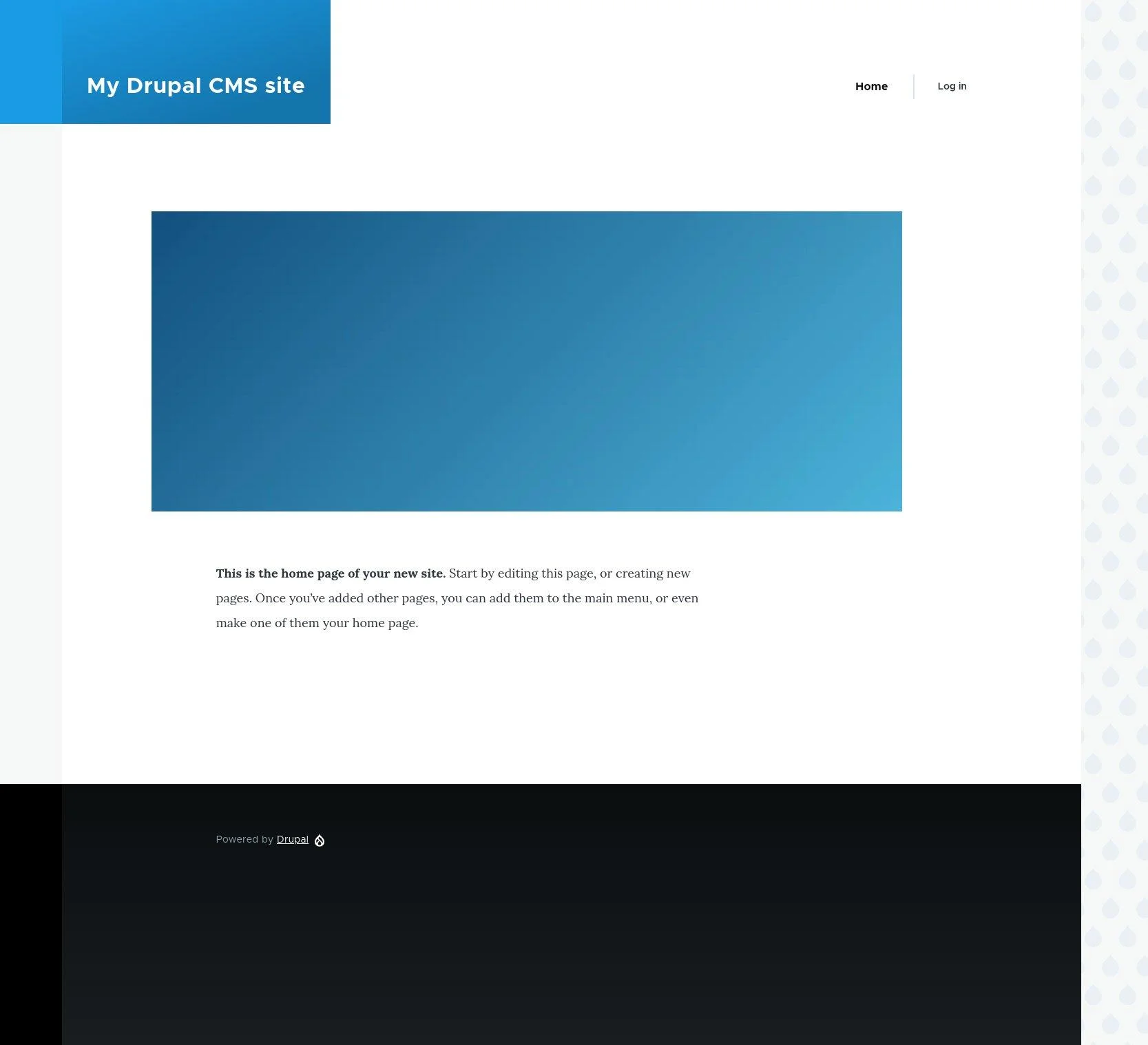
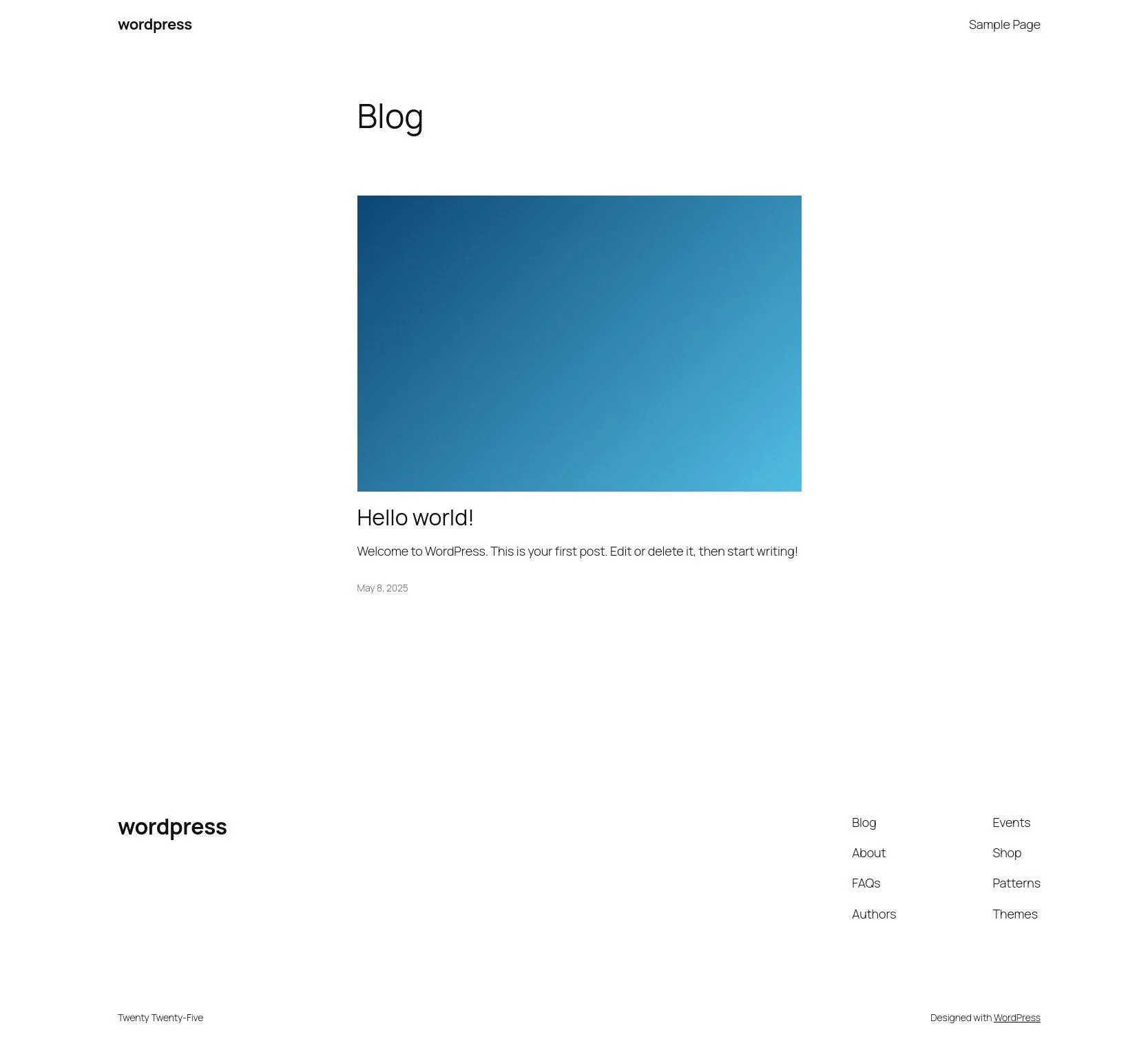
The setup: a stock install of each platform on the same server, the default homepage of each, and the same 2000 × 2000 test image dropped into both so the pages carried comparable weight. Then Lighthouse on mobile and desktop, the browser's network panel, and XHProf on the server to see what each platform was actually doing per request.
Lighthouse
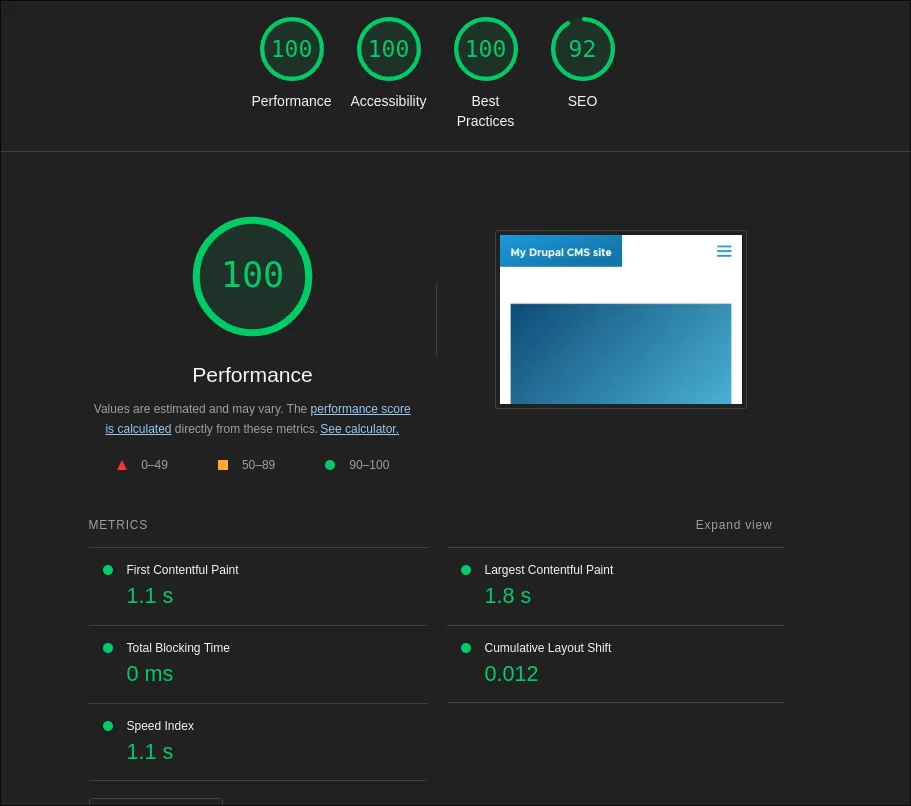
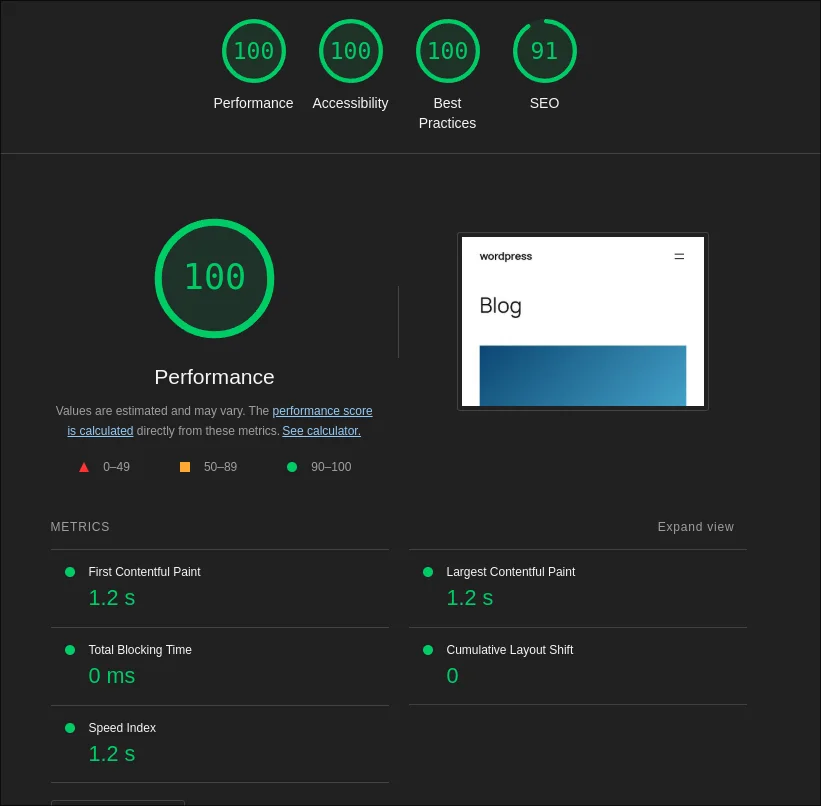
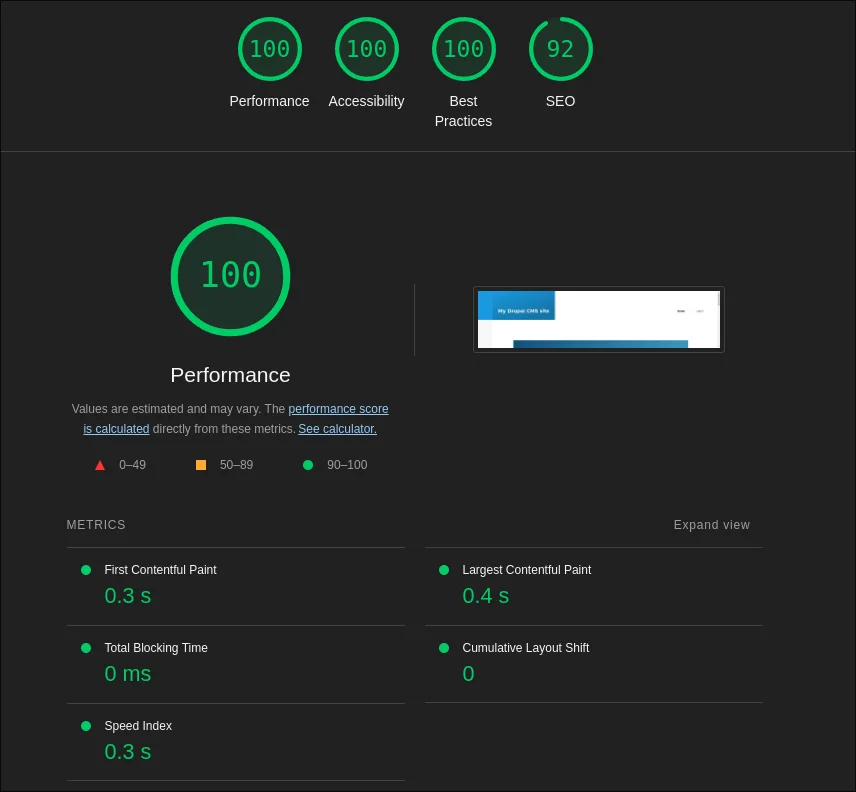
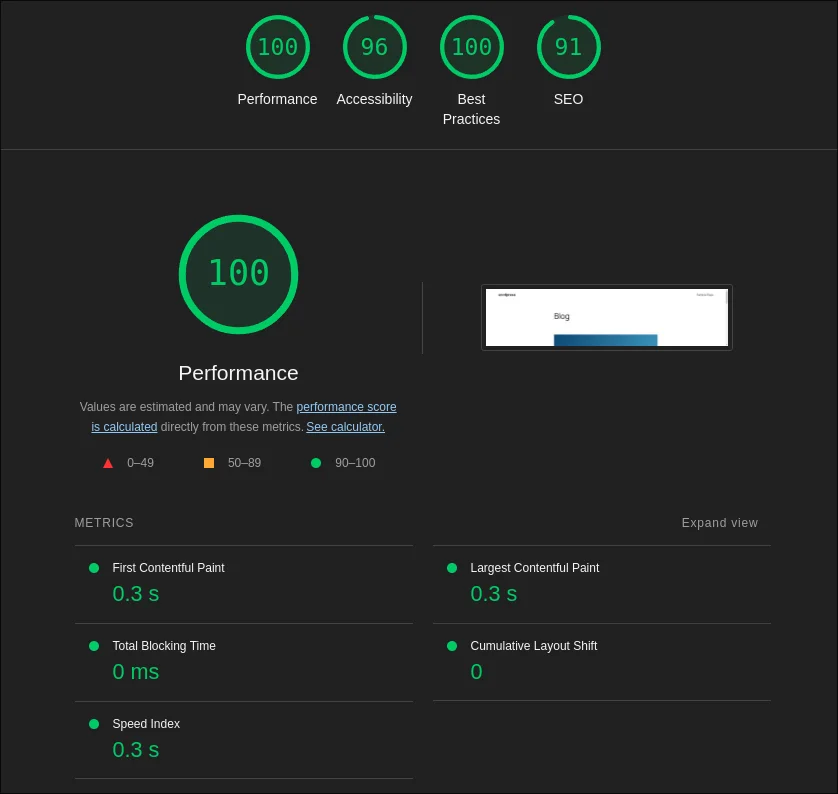
On mobile, both score 100 for performance. Drupal CMS reports first contentful paint at 1.1 seconds and largest contentful paint at 1.8; WordPress reports 1.2 and 1.2. Both have zero total blocking time. On desktop the two are effectively identical: 0.3 seconds to first paint, 0.3 to 0.4 to largest paint, zero blocking. Drupal CMS edges SEO at 92 to 91; WordPress drops to 96 on desktop accessibility. Lighthouse, in other words, cannot separate two stock homepages. That is worth knowing, because "Drupal is slow" is still a thing people say.
What the diagnostics say
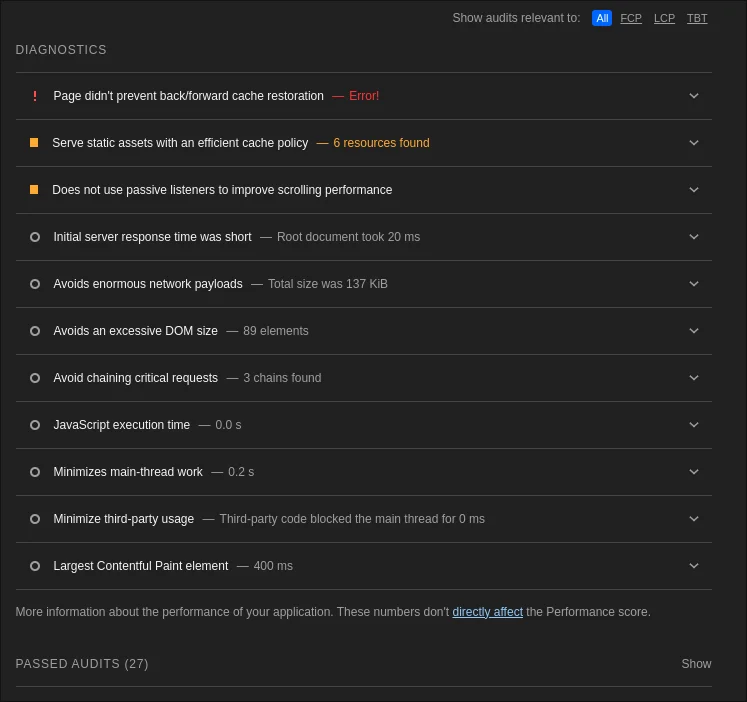
The diagnostics underneath the scores are more interesting than the scores. WordPress's report flags the images: 34 KiB of potential savings from properly sizing them and another 25 KiB from next-generation formats, on a 120 KiB page. Drupal CMS served the same picture already sized and encoded, and its report has nothing to say about images at all; its flags are a cache policy on six static assets and, on mobile, 300 milliseconds of render-blocking CSS. Both platforms fail the back/forward-cache check. The one number that leans WordPress's way is the root document response, 60 milliseconds against Drupal's 20, which Lighthouse counts as "short" for both.
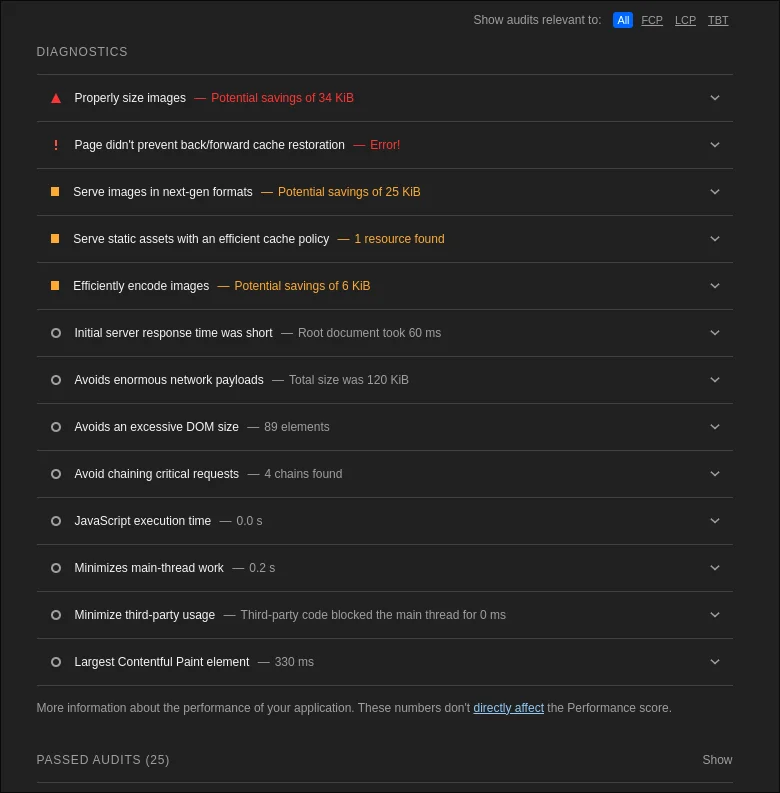
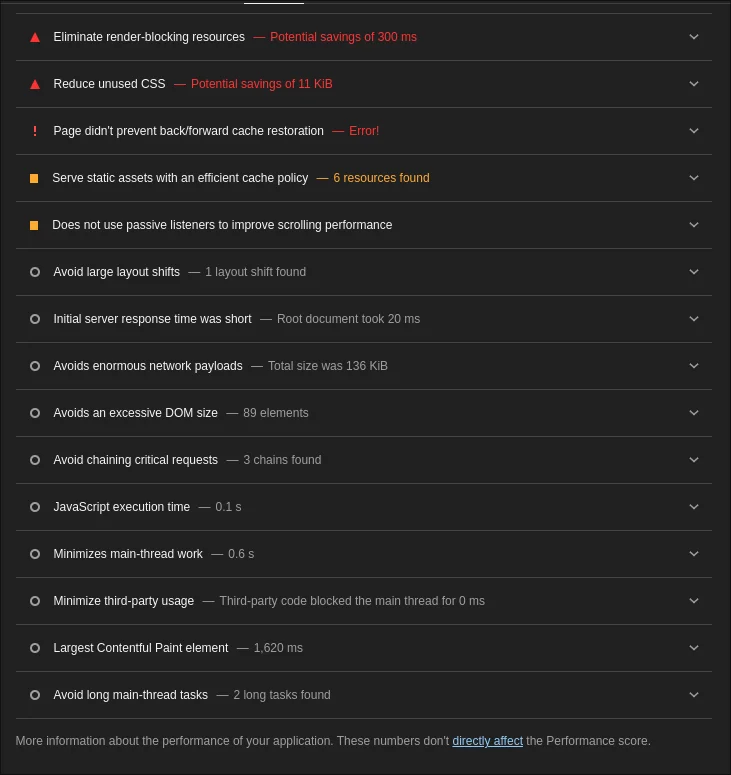
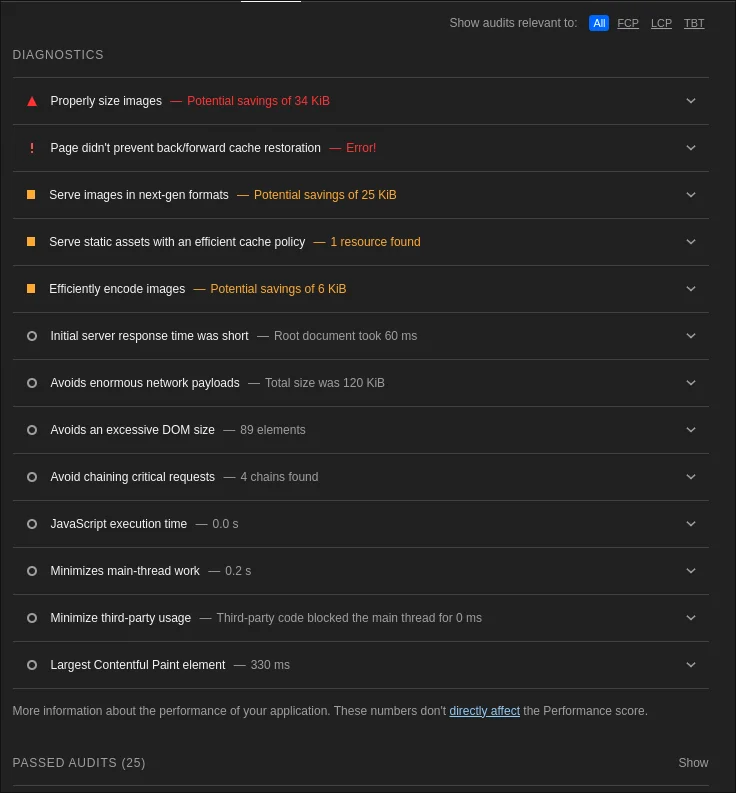
Network
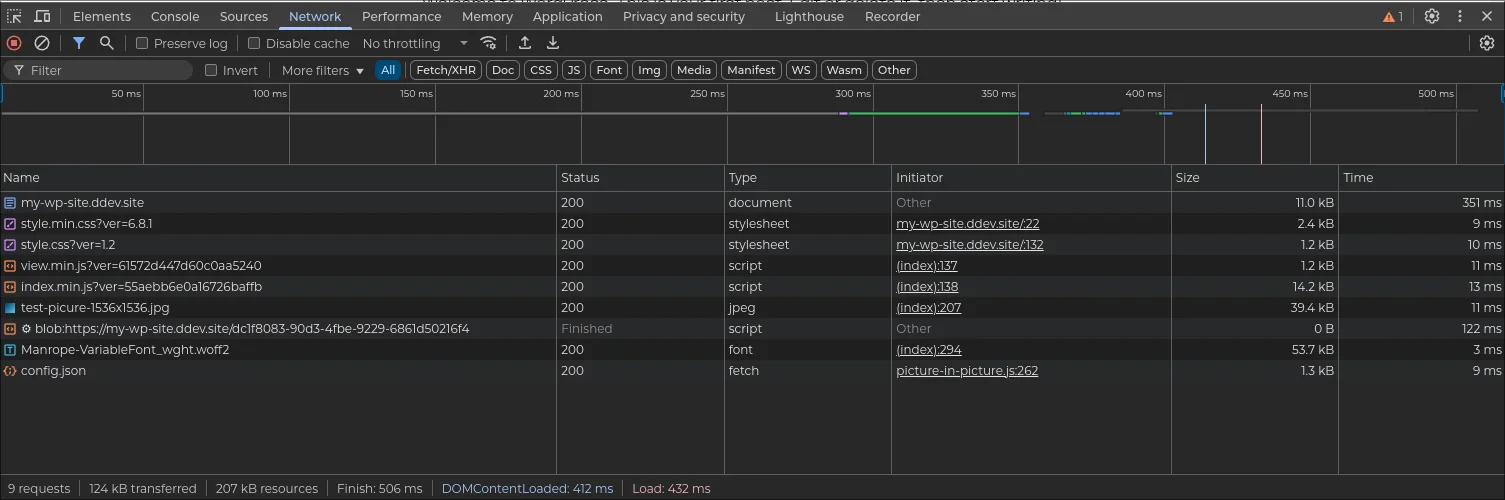
The network panel tells the same story from the browser's side: a handful of requests on each platform, comparable transfer sizes, and nothing that would trouble a visitor on either.
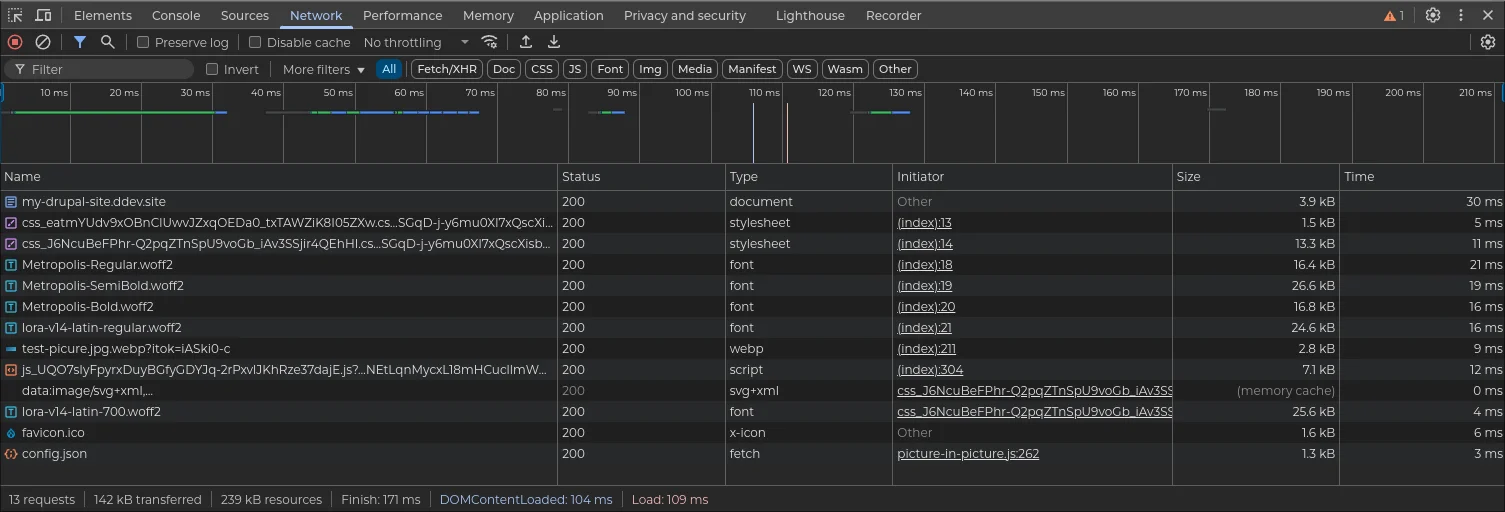
XHProf: what the server did
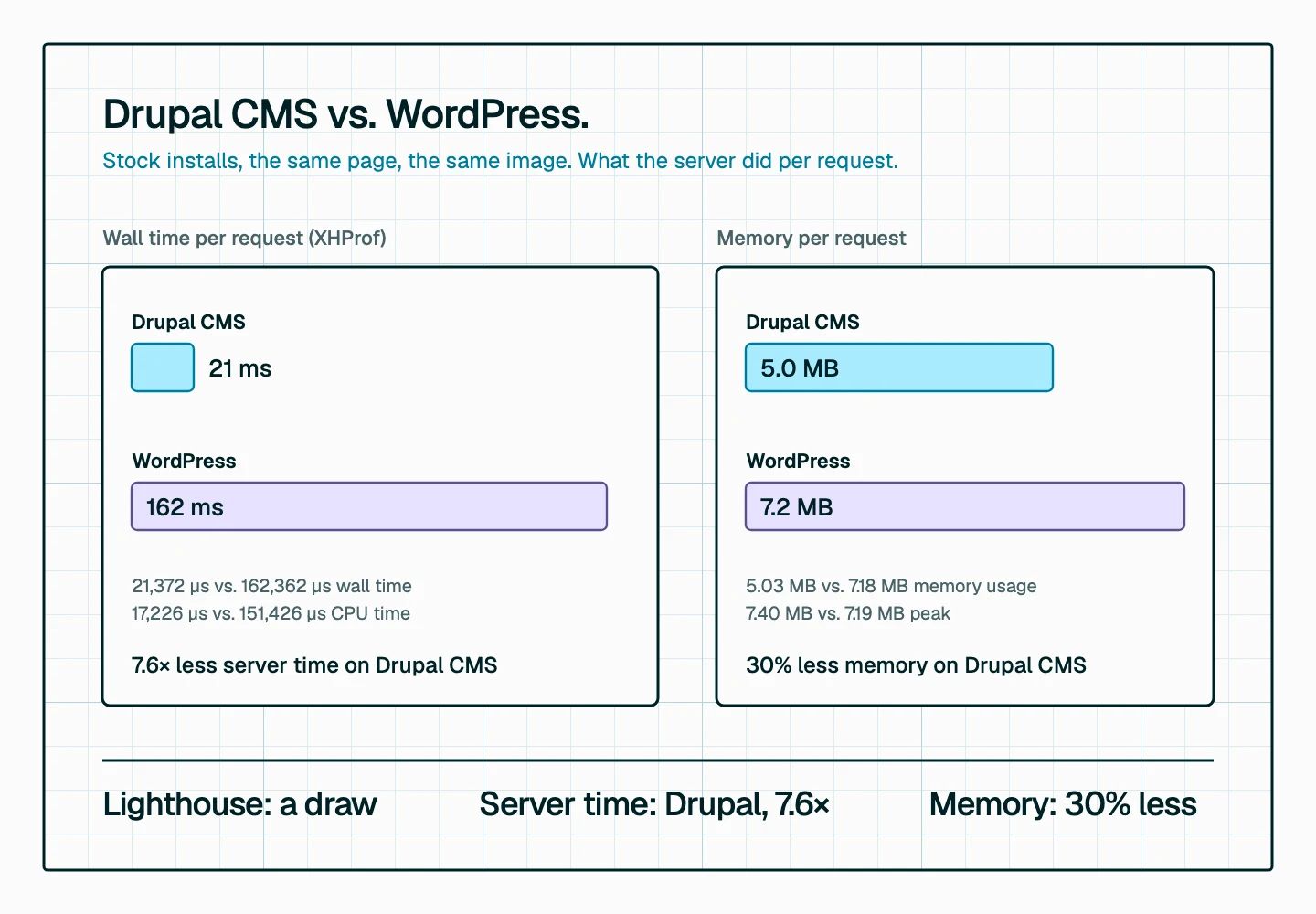
Lighthouse measures what the browser experiences. XHProf measures what the server does to produce it, and here the two platforms separate.
- Drupal CMS: 21,372 µs wall time, 17,226 µs CPU time, 5,034,376 bytes of memory, 7,403,088 bytes peak.
- WordPress: 162,362 µs wall time, 151,426 µs CPU time, 7,175,976 bytes of memory, 7,191,384 bytes peak.
Per request, stock WordPress spent about 7.6 times the wall-clock time and nearly 9 times the CPU that Drupal CMS did to render an equivalent page, and used about 30% more memory doing it. On a single homepage in a browser test that difference is invisible, which is why Lighthouse calls it a draw. It stops being invisible under load: server time per request is what decides how many visitors a given box can serve, how much of your hosting bill is spent on PHP, and how a site behaves the day something goes viral. Drupal's render and cache architecture is doing real work here, and Drupal CMS gets it for free.
Drupal 11.4: half the queries
The baseline underneath Drupal CMS keeps moving, too. Drupal 11.3 delivered what the core team called its biggest performance boost in a decade, and Drupal 11.4, released on July 1, 2026, went further: it reduces database queries by half compared to 11.3 across a wide range of requests, thanks to optimizations in how entity fields are loaded. On a completely cold cache, 11.4 executes just over a third of the database and cache lookups that Drupal 11.0 or 10.6 did, which the release notes put at hundreds of milliseconds saved. Entity listing queries use fewer table joins, a change that particularly benefits sites using JSON:API, and CSS and JavaScript are now served with Brotli compression, typically 15 to 25 percent better than gzip.
Every one of those gains arrives in Drupal CMS as a core update, no rebuild required. That is the compounding advantage of a platform whose performance work happens in core rather than in a plugin you have to find, buy, and keep compatible.
Choosing Drupal CMS over WordPress
Drupal CMS shifts the decision points when evaluating which platform to use.
Consider Drupal CMS when:
- Your organization has complex content structures and relationships.
- You need enterprise-grade security and a robust permission system.
- You are planning a headless or decoupled architecture.
- You have multilingual or multisite requirements.
- You want a platform that separates content from presentation for maximum flexibility.
Consider WordPress when:
- Your content structure is relatively straightforward.
- Your team is already familiar with WordPress.
- You want access to the largest ecosystem of themes and plugins.
Two considerations that used to belong to WordPress alone no longer do. "We have limited development resources or budget" and "we need to launch quickly with limited technical resources" were the big reasons people chose WordPress. With Drupal CMS, Recipes, Project Browser, and Canvas, the scales are not so clear anymore.
Will Drupal CMS beat WordPress?
Drupal CMS addresses many of the historical barriers that kept organizations from choosing Drupal. Yet WordPress has a wide moat: market share, ecosystem, and general familiarity all favor it.
But Drupal CMS combines Drupal's traditional strengths in complex content and workflows with a significantly better experience for content creators, and it does so on a platform that, as the numbers above show, does less work per request to deliver the same page and, with Drupal 11.4, half the database queries it did a release ago. It redefines the game. WordPress may have been the default choice based solely on user experience. That may no longer be the case.
Territory that was divided and pieced out is up for grabs again. Hopefully, this innovation and competition lead to better experiences for everyone.
Weighing Drupal CMS against WordPress for your next platform?
Talk it through with us