Introduction
Yesterday’s announcement at DrupalCon Rotterdam felt personal. In the Driesnote, Dries highlighted native headless support for Drupal Canvas. It’s a direction Josh Fabean and I have been excited about since an afternoon in Florida earlier this year.
At Blue Drop Labs, we’ve had the opportunity to help pressure-test that work. We’ve also put it into production: in August, we launched Rosenfeld Media’s new Shift UX conference website with Drupal CMS 2, Headless Canvas, and Astro.
What excites me most is the combination: a frontend that agents can build and a backend that humans can maintain. That has practical consequences for the people editing a website, the team building it, and the customer paying for it.
A conversation at Florida Drupal Camp
Josh and I met Bálint Kléri at Florida DrupalCamp in February 2026. We’d just sat through his February 21 talk about JavaScript code components in Drupal Canvas. Afterward, the three of us spent the better part of the afternoon discussing where Canvas could go.
We wanted headless to be a first-class part of Canvas. Developers could use AI coding tools to build the frontend in a framework they knew. That frontend could run at the edge on Cloudflare Workers. Drupal could stay in a private environment, giving the content team its own place to work.
The dream was to keep visual page building connected to a frontend we could develop independently. Editors would arrange and maintain content in Canvas, while developers and their agents worked directly with the code.
What this architecture makes possible
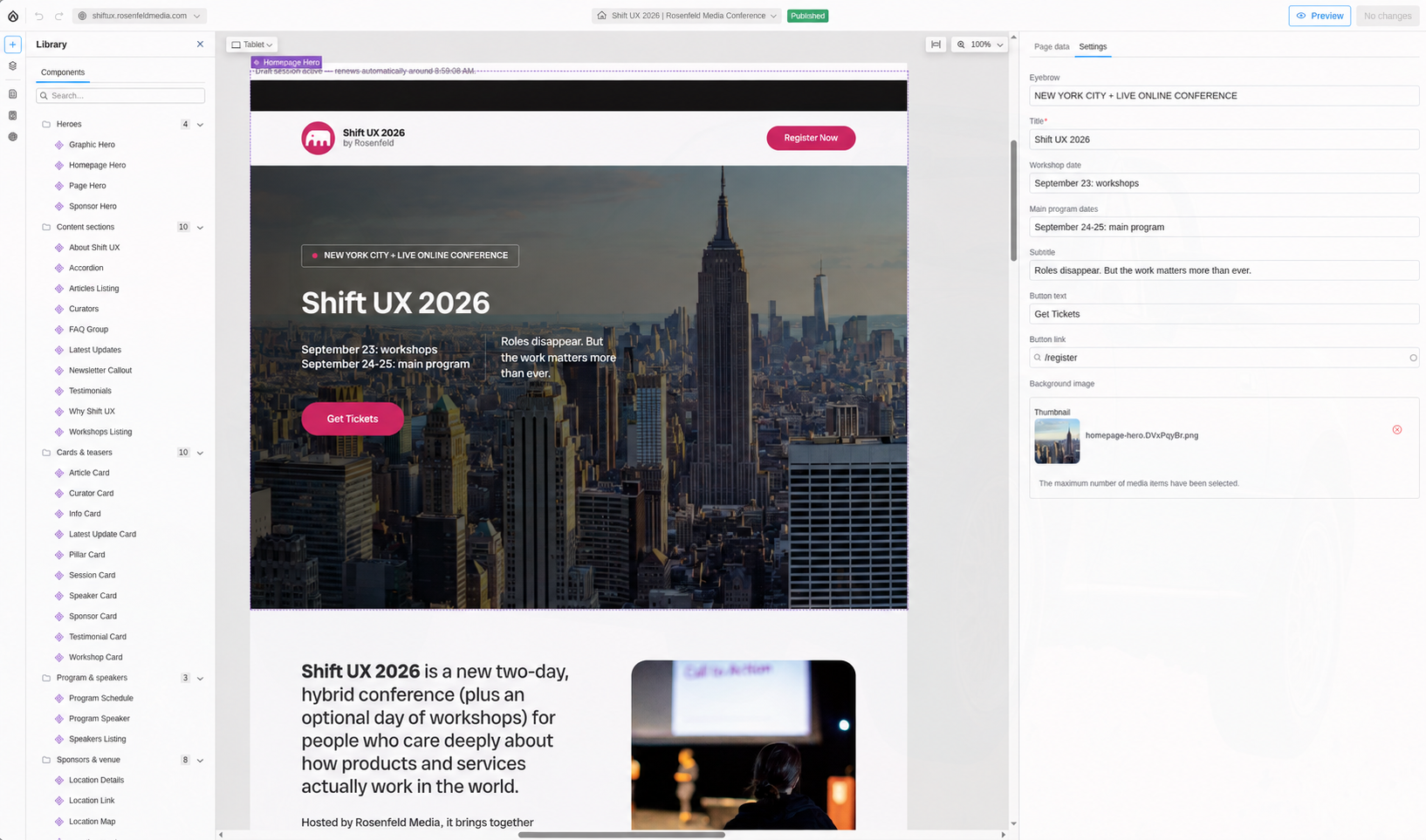
Canvas gives editors a visual way to compose pages from components. Native headless support lets that composition travel to a separate frontend. With Astro, we can turn the content and component tree into the public site during a build.
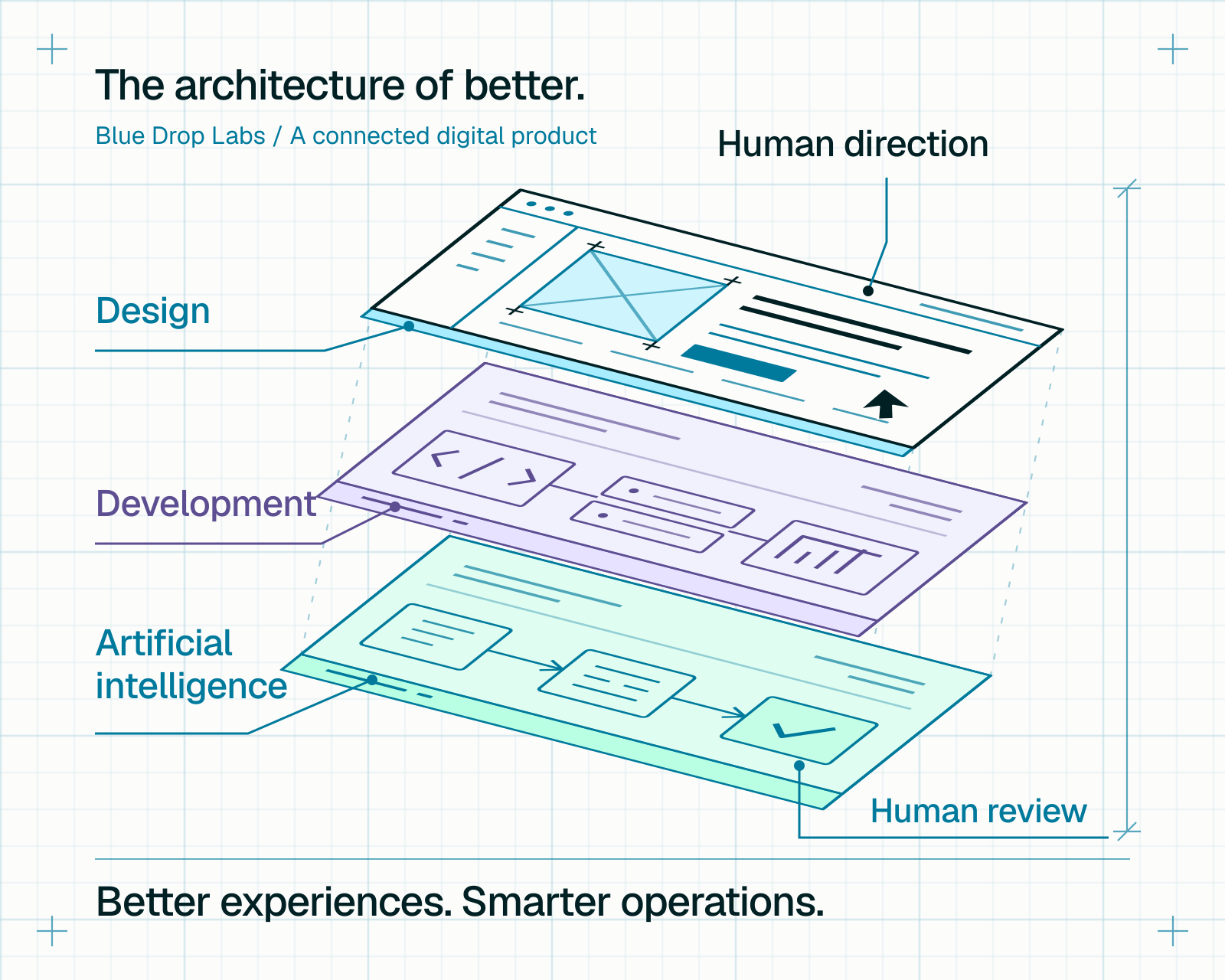
An AI coding agent can help develop the components, styling, and interactions in that frontend repository. Our team supplies the design direction, reviews the code, and tests the result. The customer’s editors can keep working in Drupal without needing to open a code editor.
A content manager could update a speaker biography or rearrange an event page using approved components. A developer could improve how those components render while the content team keeps working in Canvas. The component definitions connect the two, giving us room to evolve the frontend while keeping content organized and the editing experience familiar.
Cloudflare serves the generated HTML, styles, scripts, and images close to visitors. Small Worker handlers can process dynamic tasks such as form submissions, using TypeScript-authored code in Cloudflare’s isolated runtime.
A smaller public attack surface
For me, the security benefit starts with taking Drupal off the public request path. Ordinary visits reach static assets; form requests reach purpose-built handlers. We can protect access to the Drupal backend for the people and build processes that need it.
That greatly reduces public exposure to Drupal’s PHP application and its modules. We still maintain Drupal, control access, and review the frontend and Worker code. Cloudflare’s Worker isolation is one layer in that architecture.

Download the video to watch it in your device’s player.
From an AI prompt to a Canvas code component and an Astro preview. A silent, 30-second demo.
Video description
In a terminal, we ask an AI coding agent to create a Canvas code component that rotates background images with a five-second fade, then use the Rosenfeld MCP connection to create a homepage variation for testing. The recording then shows the new page in the Drupal Canvas editor and its rotating hero images, followed by the same page in the Astro frontend preview.
From conversation to pressure testing
Before the Rotterdam announcement, Blue Drop Labs worked with Bálint to pressure-test this feature during development supported by Acquia. We had the chance to try the ideas from our Florida conversation against real development work.
I’m proud of the team at Acquia for moving this initiative forward, and grateful we’ve had time to work with visionaries like Bálint and Lauri Timmanee. Making a new capability useful takes patient engineering and people willing to share what they know. We’ve benefited from both.
Seeing that work featured in the Driesnote was a moment to celebrate the people behind it.
Josh’s hands-on account
Josh has written about his own implementation in Rebuilding My Site with Drupal Canvas Headless, Astro, and MCP. His post explains how Astro components connect to Canvas, how an MCP server gives an agent restricted content-authoring tools, and how the site fetches content during a build.
It’s a useful developer’s view of the moving pieces, including the distinction between editing content and deploying the next static build. Josh’s August post captures Headless Canvas during its experimental stage. Yesterday’s Driesnote announced official headless support for Drupal Canvas, and we’re already using it for commercial projects.
Download the video to watch it in your device’s player.
Content changes in Canvas, reflected in the Astro frontend. A silent, 30-second demo.
Video description
We edit a demonstration page in Drupal Canvas, update its background and introduction imagery and text, and add a curator card using structured content. The recording then shows the updated page in the Astro frontend, including its new conference year, imagery, and curator section.
A commercial launch for Rosenfeld Media
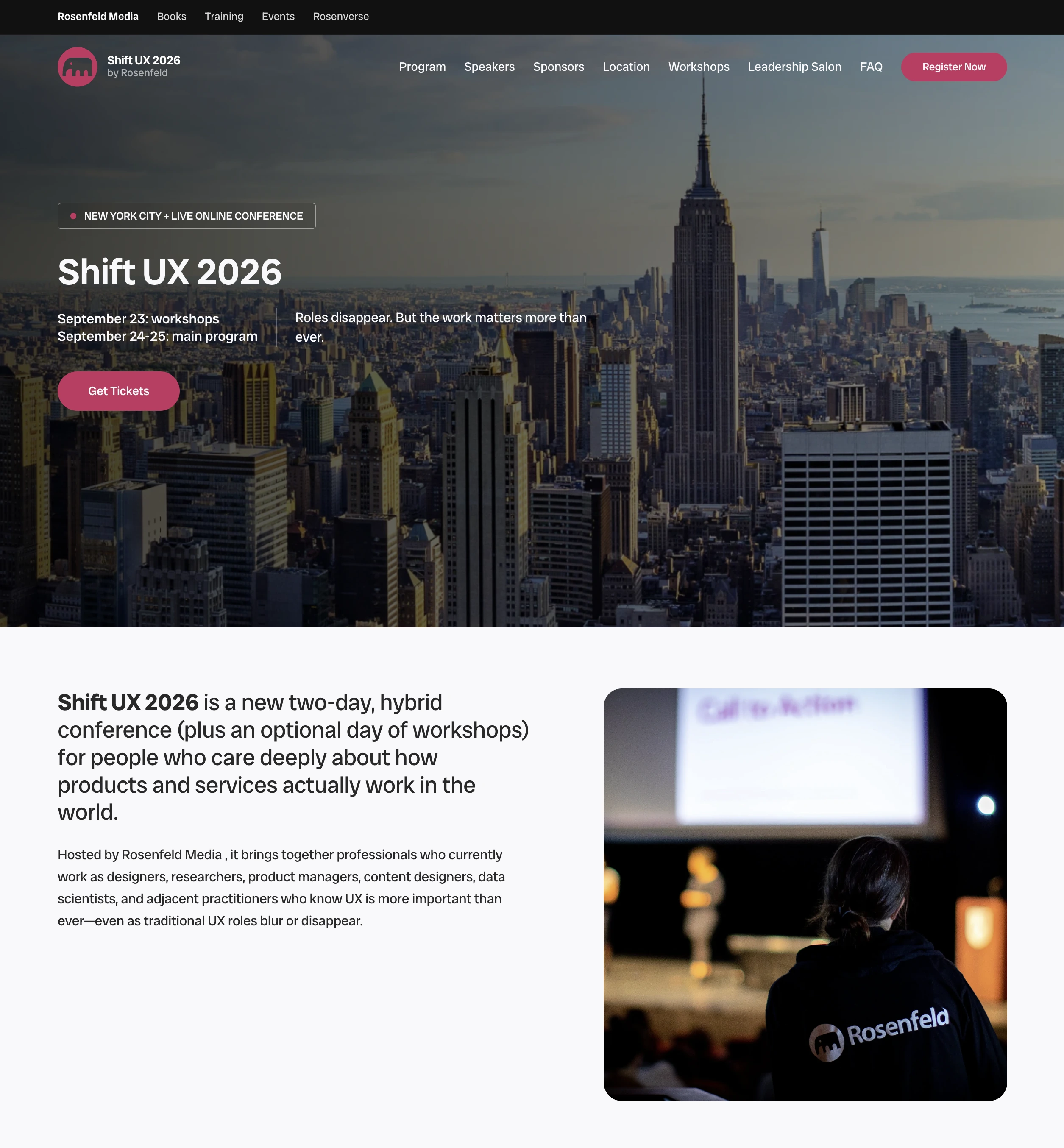
In August 2026, we launched Rosenfeld Media’s new Shift UX conference site on Drupal CMS 2 with a headless frontend using Canvas and Astro.
We host the Drupal CMS instance on our managed hosting platform, Blue Drop Cloud. The frontend is hosted on Cloudflare Workers. It brings the architecture we’d been discussing into a commercial website with content a customer needs to maintain.
To our knowledge, this was the first commercial website built with Drupal CMS, Headless Canvas, and Astro. I’m excited that Rosenfeld trusted us to put this approach to work.
What changed for the customer
The part I’m happiest about for Rosenfeld is the savings. By taking this headless approach, we kept design and development costs below what we typically see on traditional monolithic Drupal projects.
As an AI-enabled consulting firm, we use coding tools to accelerate the implementation while our people direct the design and engineering. Drupal CMS and Canvas give us a foundation for content management. Astro and Cloudflare give us a straightforward path to building and delivering the frontend.
AI can help with repetitive implementation and give us more room to compare designs, test behavior, and resolve the details that make a site usable. Experienced people still decide what to build and whether the result is ready for a customer.
That combination changes what we can deliver within a customer’s budget. For suitable websites, we’re turning work around in weeks instead of months. The Shift UX engagement shows how this approach can save customers both time and money.
See it in action
If you’re considering Drupal Canvas for a new website, I’d love to show you how these pieces fit together. We can walk through visual editing in Canvas, AI-assisted frontend development, and how content reaches the deployed site.
Bring a website you’re planning or a workflow your editors find difficult. We’ll talk through how this approach could fit your team, what the build would involve, and where the tradeoffs are.
See Drupal Canvas, Astro, and Cloudflare working together.
Request a Canvas demo